TestLens
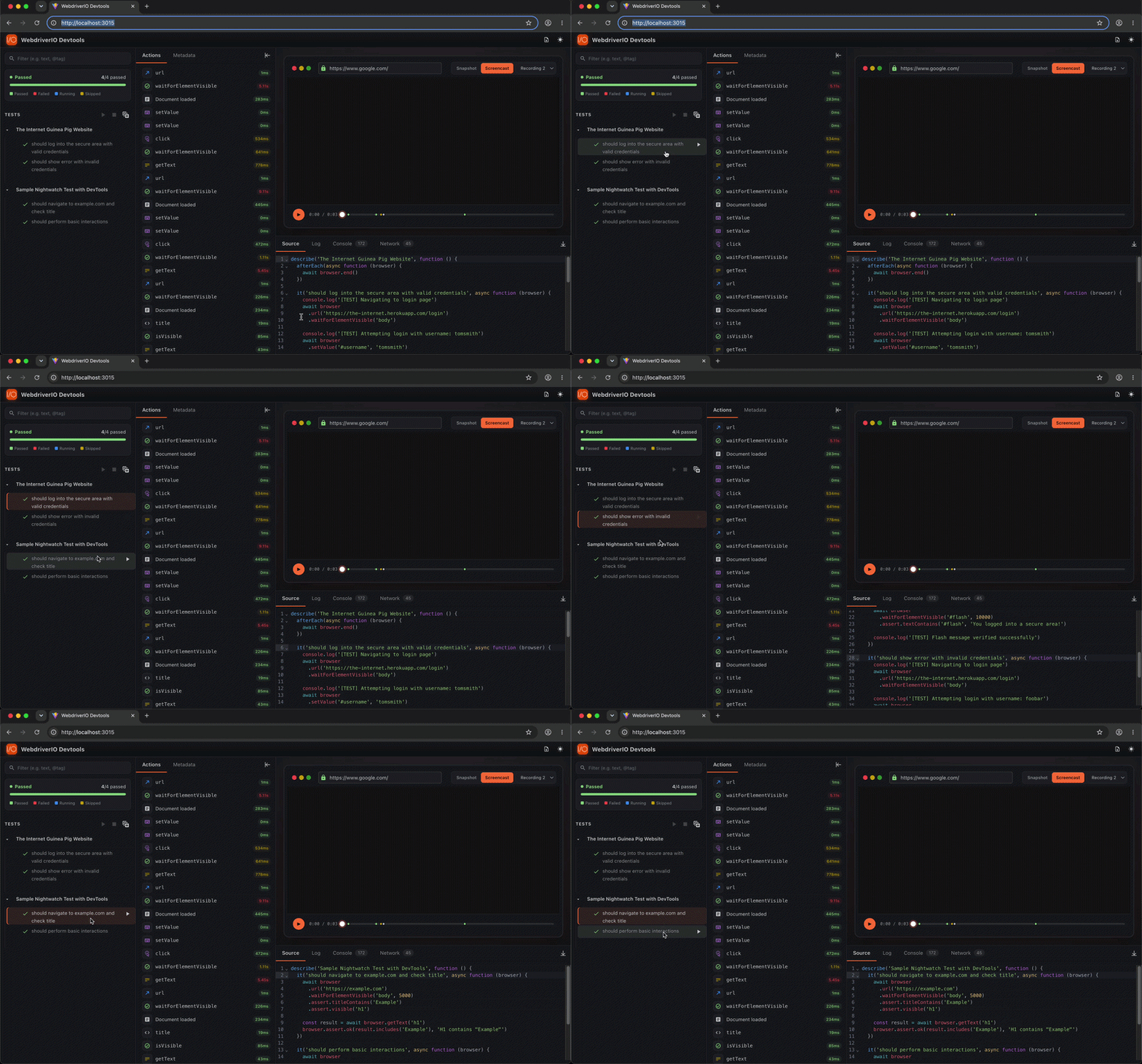
TestLens provides intelligent code navigation between the DevTools UI and your test source files. Click on any test or command in the UI to open its source at the exact line in the dashboard's Source tab, and from there open the file in VS Code.
How It Works:
- Visual test hierarchy - See your test structure (suites, tests, scenarios) in a tree view
- Source mapping - Each test links to its exact location in your source files
- One-click navigation - Click any test or command to show its source line in the Source tab
- Editor link - The Source tab's Open in editor link opens the file at that line in VS Code (
vscode://file/...)
This seamless connection between UI and code speeds up debugging by eliminating manual code searching when investigating test failures.
Demo
🔍︎ TestLens